10.1.2.2 User Certificate IHEP-2013 Migration
This entry is only for users who still hold avalid, unrevokedIHEP-2013personalcertificate and whose certificate email matches their IHEP unified authentication (IHEP SSO) email.
- Install the old personal certificate and its private key in the browser or OS certificate store.
- Follow the "Log in with an IHEP-2013 Certificate" steps in10.1.1 Logging in to the WebUIto log in with theIHEP-2013 certificate migrationmethod; when the browser pops up the certificate chooser, select yourpersonalcertificate, not a Host certificate.
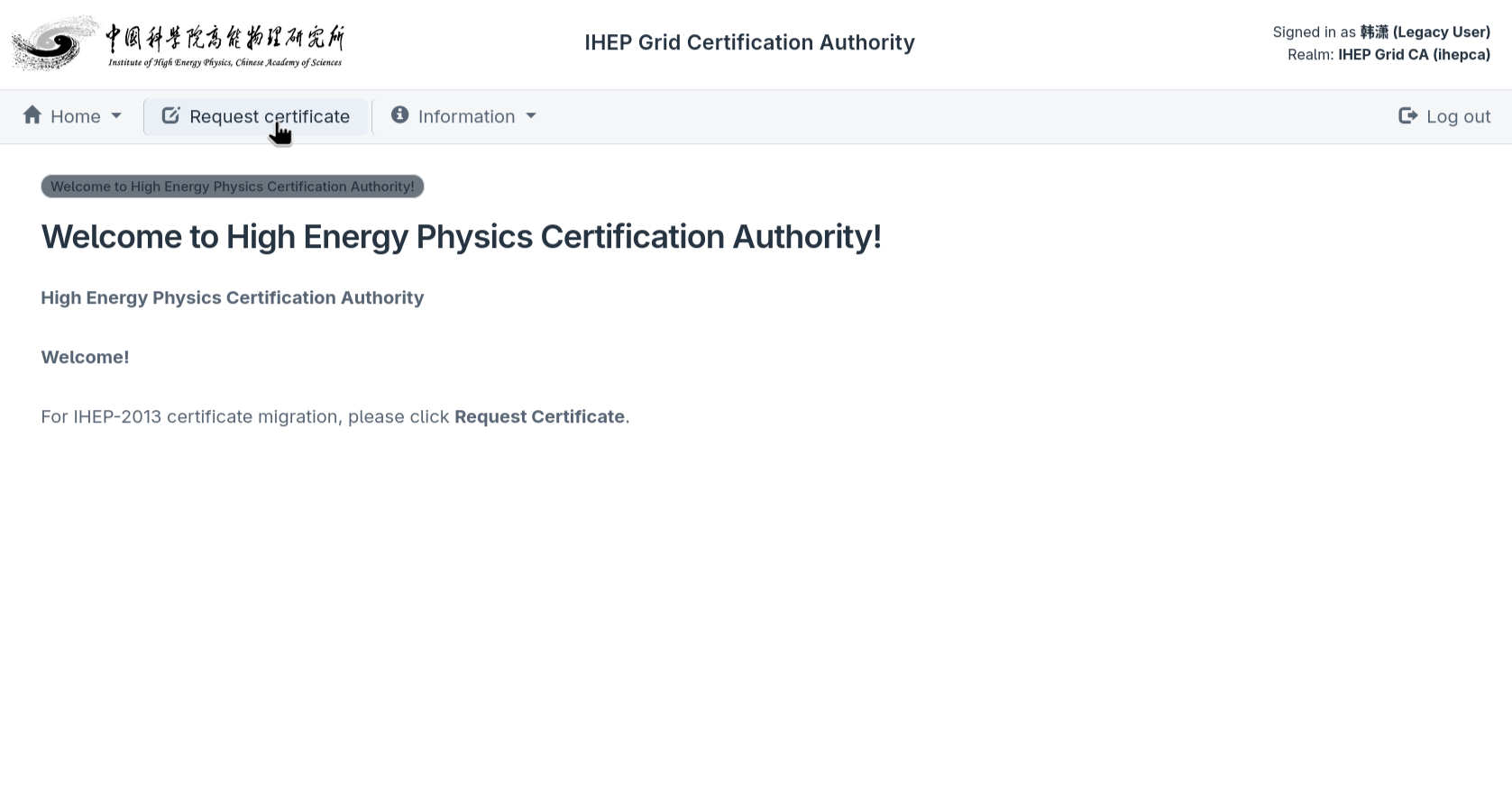
The system checks the old chain, old CA CRL and the certificate email SAN against the LDAP identity. If the checks pass, the migration home page opens; clickRequest certificatein the top navigation bar:
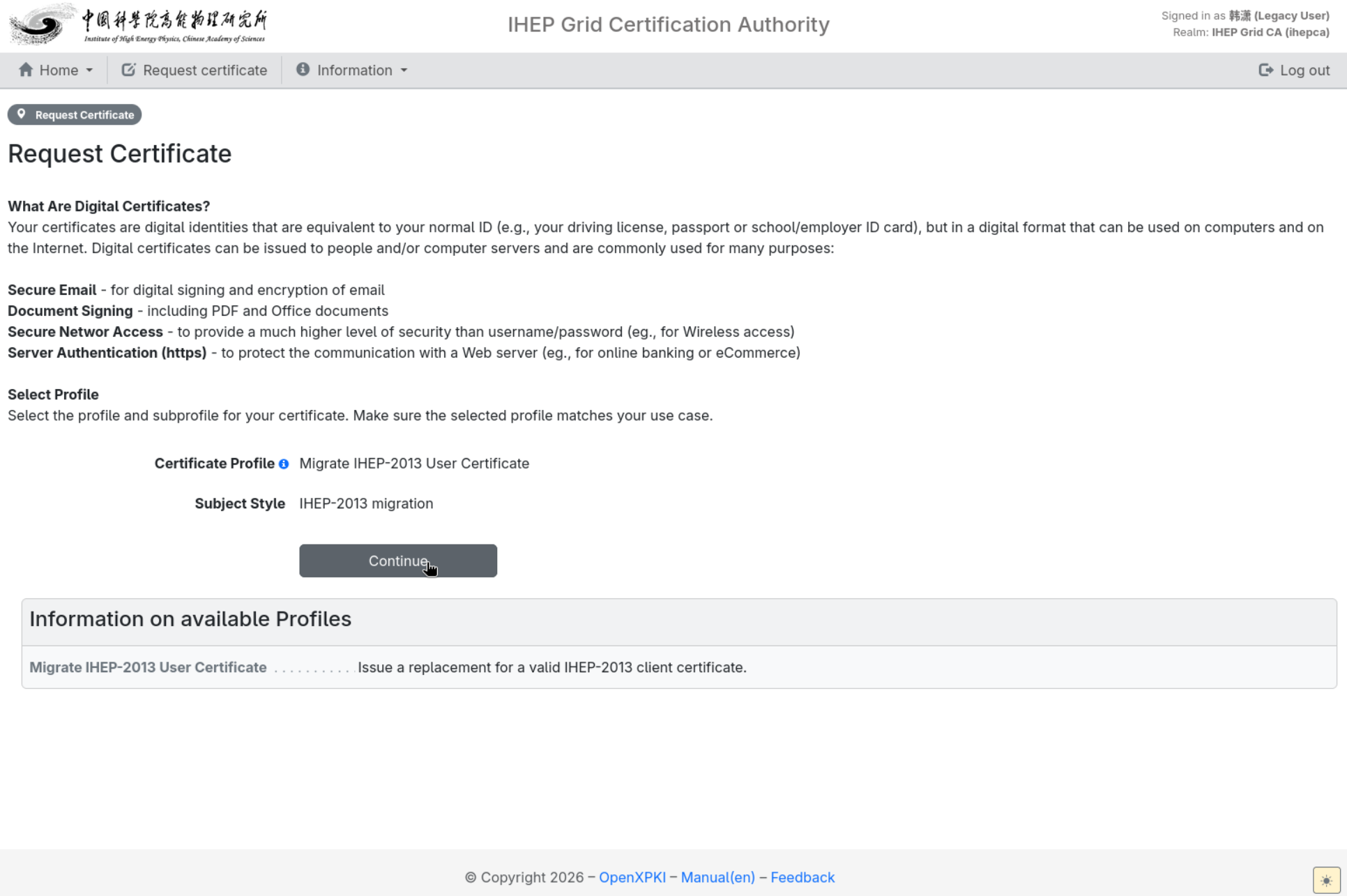
The personal-certificate migration profile (Migrate IHEP-2013 User Certificate) is selected automatically; confirm it and clickContinue:
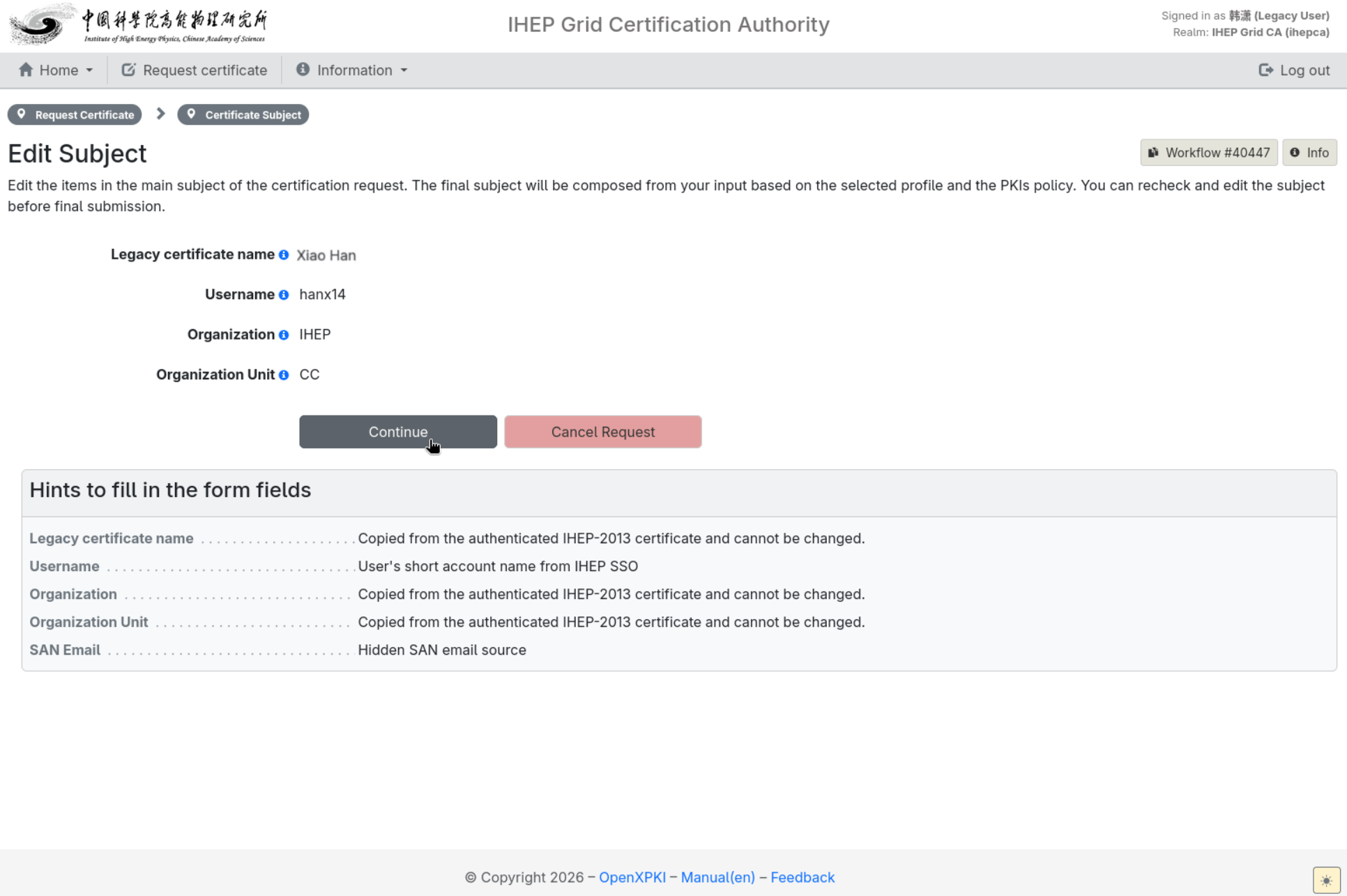
On theEdit Subjectpage checkLegacy certificate name,Username,Organization,Organization UnitandSAN Email. All of them are copied from the old certificate and LDAP and cannot be changed; clickContinuewhen they are correct:
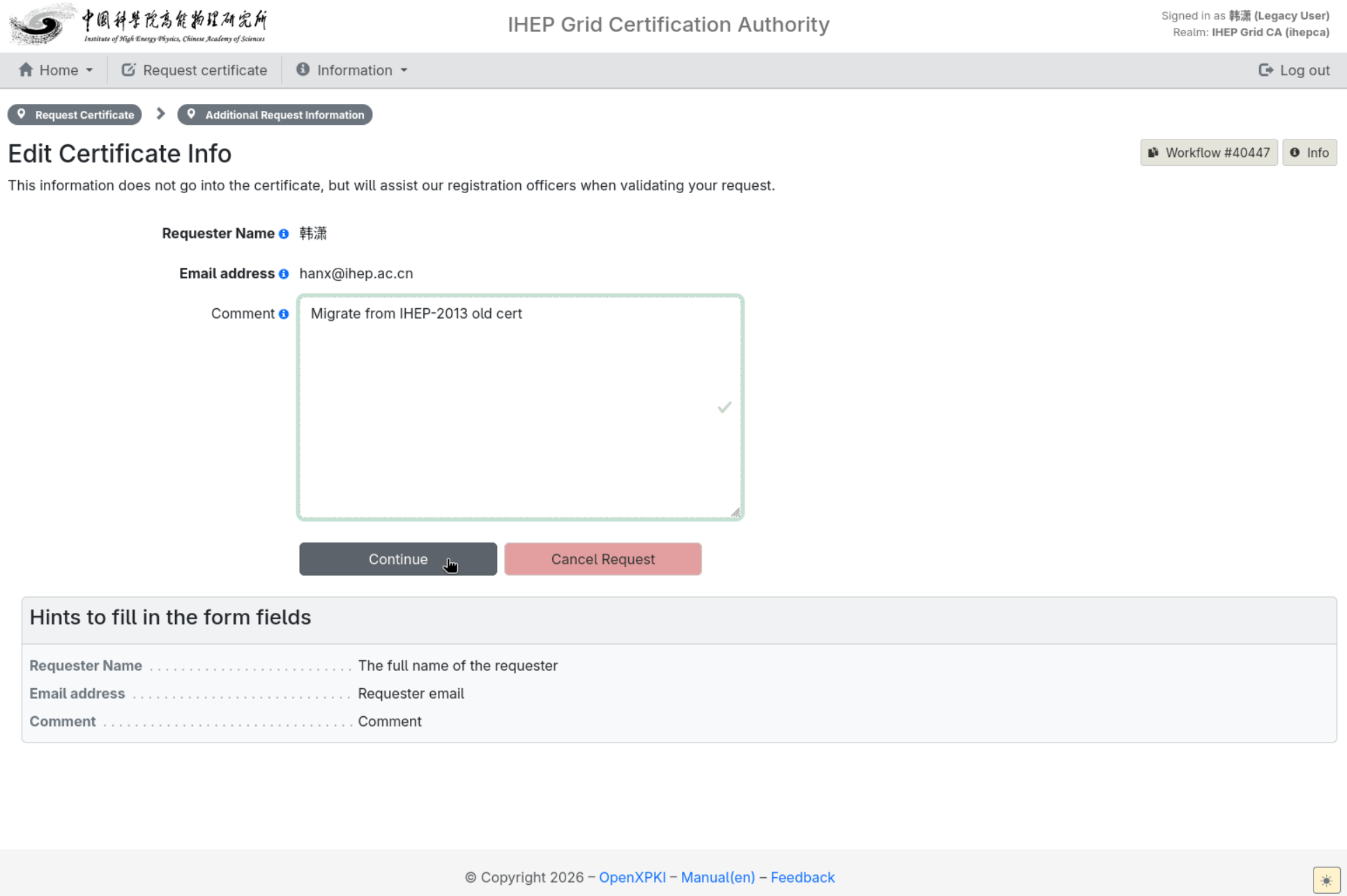
On theEdit Certificate Infopage, fill in theCommentwith the reason for this migration request and clickContinue:
The remaining steps are exactly the same as for a user certificate application: reach theReview Requestpage, review and submit it, handle a duplicate request through the policy exception, then set theprivate key passwordand wait for review — see10.1.2.1 User Certificatefrom step 5 onward; for download and installation see10.1.3 Download and Use Certificates.
Each LDAP account can complete the old personal-certificate migrationonly once. If the page says it has already been migrated, look for the issued certificate inHome → My Certificatesinstead of creating workflows repeatedly. If the migration fails, first check that the old certificate is still valid, that the browser selected the personal certificate and that the SAN contains an email; a missing or expired old CA CRL, a revoked old certificate and an LDAP email mismatch must be handled by the CA administrators.
FAQ
SeeFAQ.
有问题?输入后跳转到对话页继续交流